5 Best Meme Coin Tracking Tools: Charts and Risk Checks
Compare five meme coin tracking tools, with BONK search results, Memescope filters, risk warnings, and clear reasons to choose or skip each one.

DeFi Farmer Research Desk
Sep 8, 2026 · 12 min read
In brief. Use DEX Screener for pair discovery, GeckoTerminal for a second pool view, Birdeye for wallet context, Memescope for a Solana launch feed, and RugCheck for an additional risk report. None predicts profit.
On this page11 sections
The best meme coin tracking tools on this list are DEX Screener, GeckoTerminal, Birdeye, Solana Tracker Memescope, and RugCheck. My starting pair would be DEX Screener for market activity and RugCheck for token warnings. Add GeckoTerminal to compare pools, Birdeye for holder details, or Memescope for new Solana launches. You do not need all five open to check one token.
The Memescope covered here is Solana Tracker's launch feed, not a coin. Section four shows what its liquidity filter changed.
Last checked September 8, 2026. The comparisons below use public searches and filters, without wallet connections or trades.
Choose a Tool by the Question
| Tool | Main job in this shortlist | Public access | Important limit |
|---|---|---|---|
| DEX Screener | Discover pairs and inspect market activity | Public web dashboard | Paid boosts can affect trending visibility |
| GeckoTerminal | Compare pools across supported chains | Public web dashboard | A displayed price is not an executable quote |
| Birdeye | Add wallet and trader context | Public market pages | A profitable wallet is not a strategy you can necessarily copy |
| Solana Tracker Memescope | Follow stages of new Solana tokens | Public feed page | Launch-stage categories are not safety ratings |
| RugCheck | Request an additional token-risk report | Public search page | Coverage and warnings depend on the supported network and report |
This comparison covers public pages. APIs, alerts, exports, and account features may cost extra. Check the plan limits before paying; subscription features were not tested here.
1. DEX Screener: Start With the Trading Pair
DEX Screener would be my first stop for a pair lookup. Its documentation says it indexes blockchain data automatically. A listing is not an investment endorsement. Data-source explanation
Searching BONK returned multiple pools across Solana and other chains. Results showed liquidity, volume, pool age, and separate token and pair addresses. That is the useful part: you can reject a wrong network before opening its chart. The ticker alone did not identify one market.
The BONK/USDC Raydium pool opened a transaction list with direct explorer links and a separate Top Traders view. I like having the records close to the chart. The surrounding promotions and trending links are distractions, not evidence about that pool.
Start by checking the network, token contract, pair address, and quote asset. Then compare recent transactions, volume, and available liquidity. Do not begin with the largest green percentage.
There is a specific reason to be careful with trending lists: DEX Screener sells boosts that temporarily increase a token's trending score. Its boost documentation and trending explanation describe this mechanism. Visibility and safety answer different questions.
Two tokens can share a ticker. Search the contract address from the project's verified source. A larger daily gain is no reason to choose a result with the wrong address.
I would rather inspect one pair properly than open another page of trending tokens. More results do not help when the asset is wrong.
2. GeckoTerminal: Compare the Pool, Not Just the Token
GeckoTerminal has pool views for Solana, Ethereum, Base, BNB Chain, and other supported networks. Its search results are the reason I would keep it alongside DEX Screener. GeckoTerminal dashboard
Pasting BONK's Solana contract returned 10 pool results. Orca, Raydium, Meteora, and other pools appeared in the search panel. Each row put liquidity, volume, quote asset, and age together. This is the view I would choose to answer which pool, rather than which ticker.
One lower-liquidity result showed a notably different price from nearby results for the same token. I would not average those numbers. First check the pool, its recent trades, and its available liquidity.
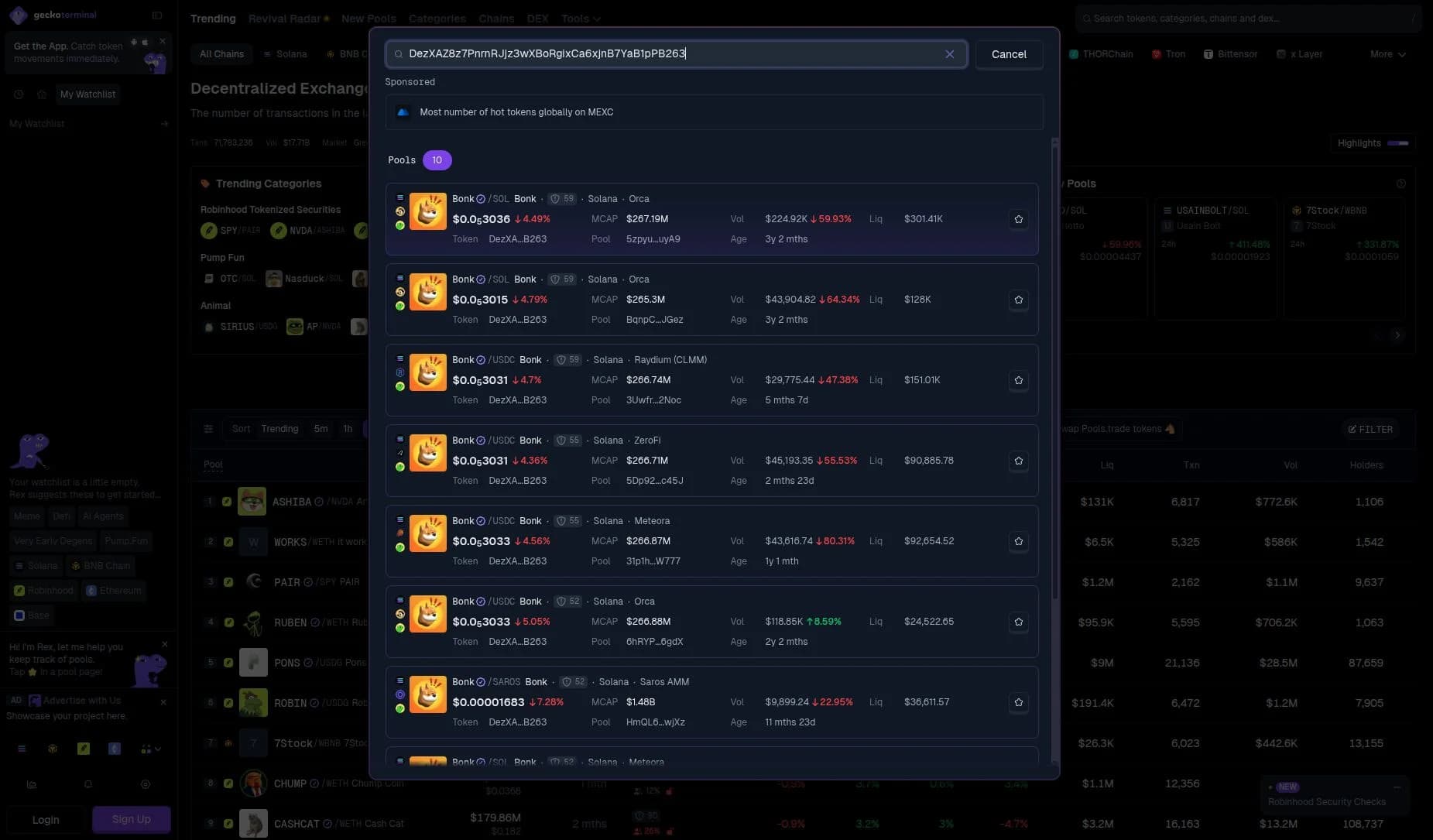
Open the full-size pool search.
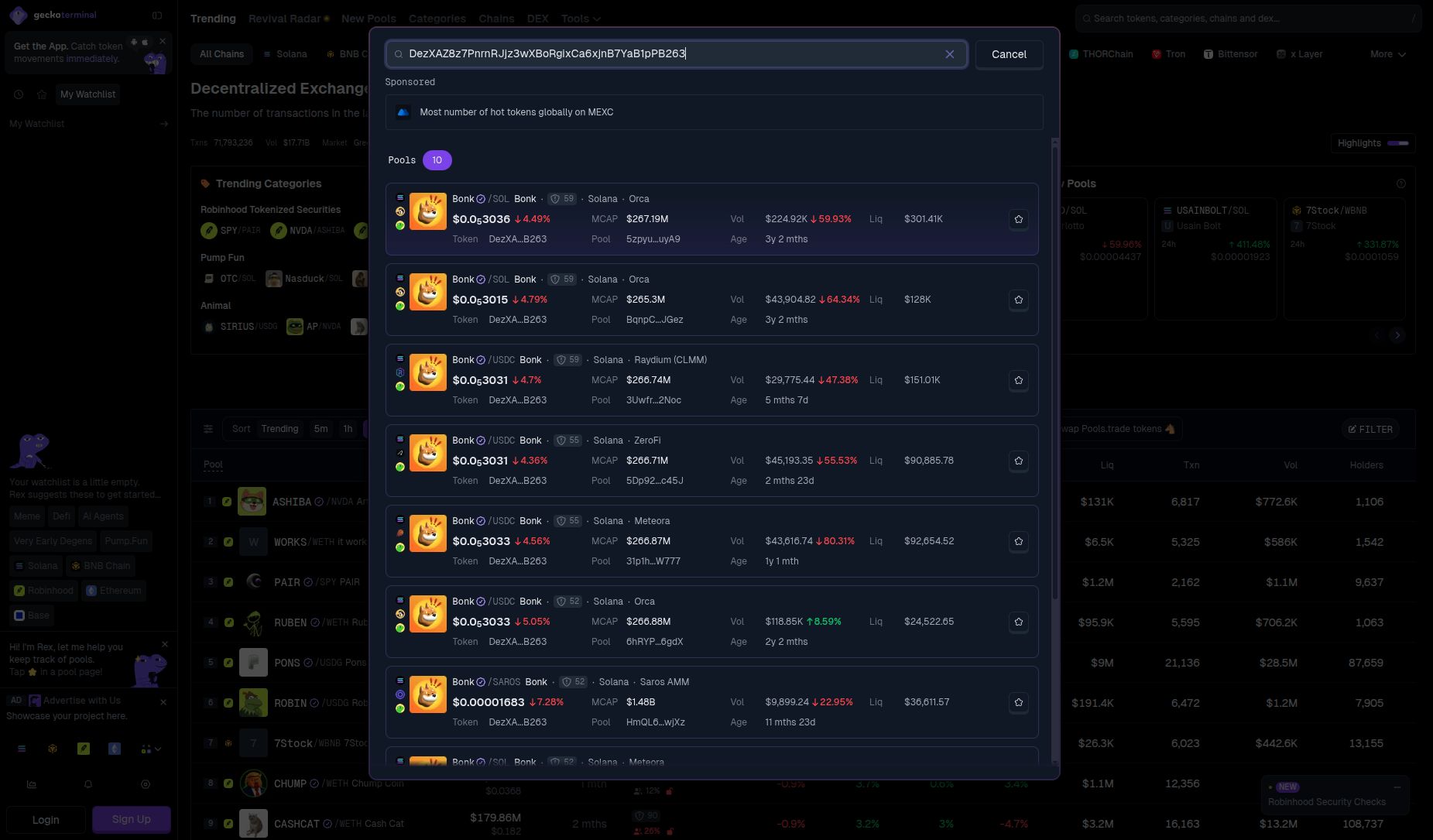
Match the pool address, not merely the token name, when comparing two dashboards. The same asset can trade in several pools with different liquidity and quote assets. Different pool selections can explain different prices.
If one page pairs a token with SOL and another uses a dollar-linked asset, check the time and USD conversion. The pages may be measuring different things.
If the two tools disagree, keep both readings with their timestamps. An independent data source can help reveal a mismatch. It cannot resolve a contract identity error that you copied into both searches.
3. Birdeye: Add Wallet Context
Birdeye's public site includes token discovery, trader views, and wallet-analysis links across supported chains. The checked page included Solana, Base, Ethereum, and BNB Chain. Network support can differ between product features. Birdeye market and wallet entry points
The same BONK contract returned one token row in Birdeye's Tokens search. Its Security (1) panel flagged top-holder concentration. The sidebar kept holder, developer, and insider readings beside the chart. That is useful context without moving to another page. BONK analytics
Birdeye earns its place when you need a chart and holder checks on one screen. For a quick price lookup, I would skip it. The terminal is busy; I prefer DEX Screener or GeckoTerminal for that simpler task. Read the address labels behind a concentration warning: a large exchange wallet is not necessarily one large investor.
Wallet context can help you ask better questions: was a position bought in the market, received by transfer, or funded elsewhere? A displayed profit figure is only as useful as the provider's treatment of those events.
A wallet with a low apparent entry cost may have received tokens by transfer. Check those earlier transfers before deciding its owner found a token early. A buy-and-sell history can miss that part of the story.
Leave wallet analysis until you have the right contract and a usable pool. It is extra work, not a substitute for those first checks.
Do not publish a claim about the person behind a wallet unless you have reliable evidence. A public blockchain address is not proof of an individual's identity.
4. Solana Tracker Memescope: A Launch-Stage Feed
The current Memescope page separates tokens into New Pairs, Final Stretch, and Migrated columns. These labels help organize discovery by the product's launch-stage categories. They do not measure investment quality. Official Memescope page
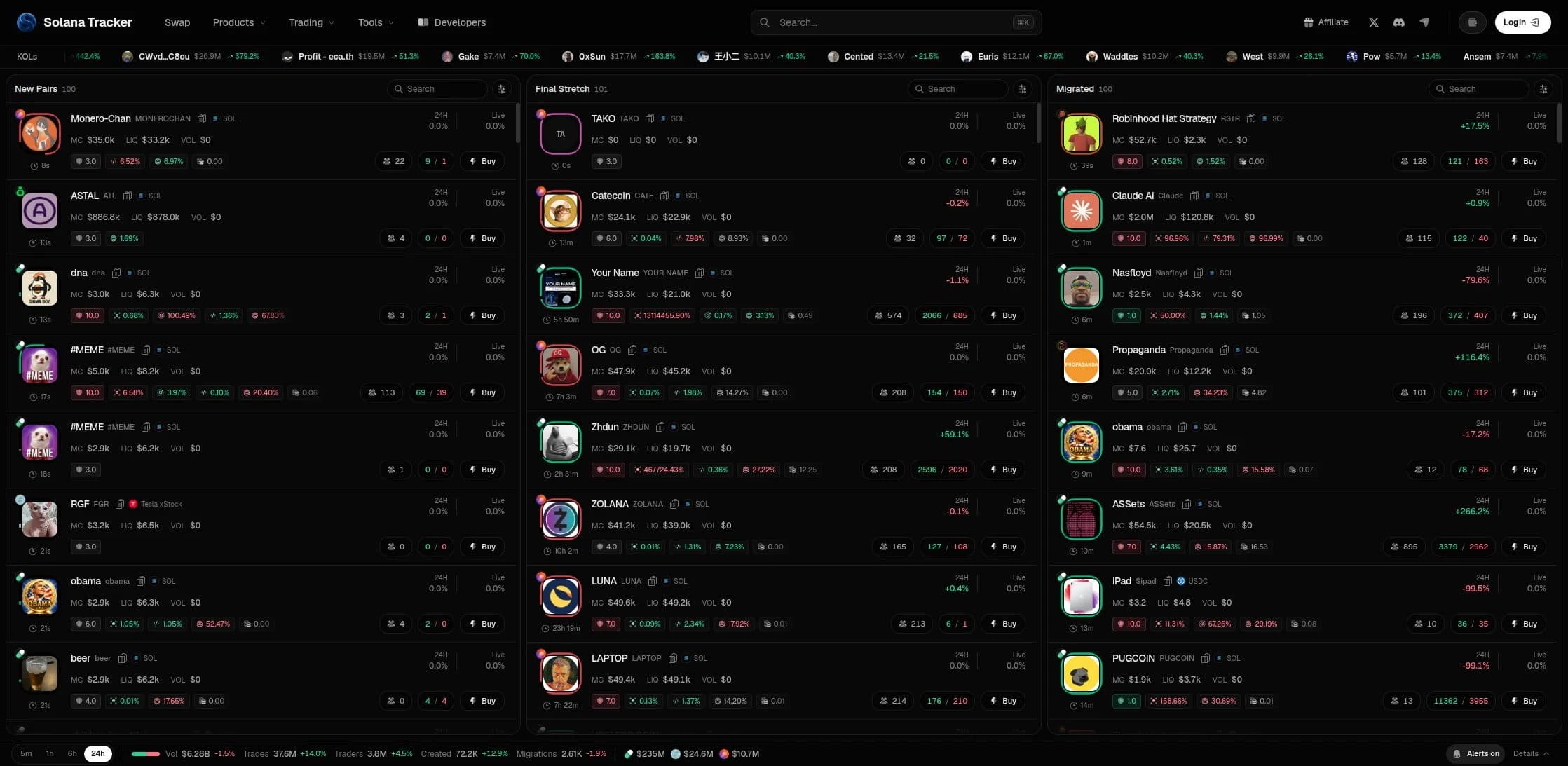
Open the full-size Memescope screenshot.
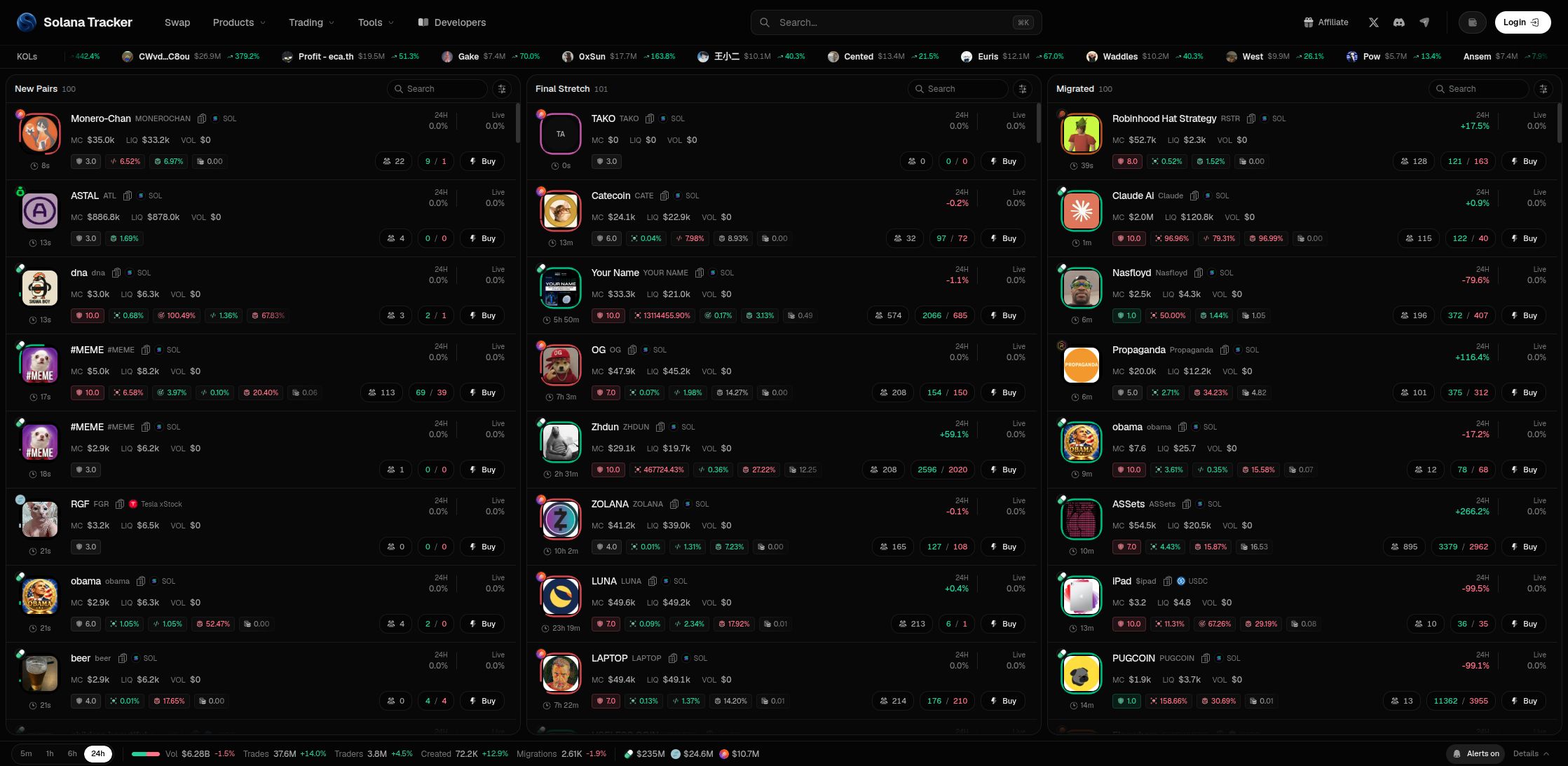
Applying the > $10k liquidity filter in New Pairs reduced the column from 100 entries to seven. The minimum field showed 10,000, with one active filter. That made the list much easier to scan. Counts change as new launches arrive.
The panel also offered mint-authority, freeze-authority, LP-burn, and developer-holding controls. I prefer the explicit fields to the Safe, Degen, and Whale presets. A preset named Safe cannot make a token safe.
I would use Memescope for launch research, not portfolio tracking. Set filters first. The three columns help sort launches, but the constant stream and Buy buttons encourage a rushed decision. Seven relevant results are more useful than 100 unfiltered ones.
Failure case: a feed suddenly goes empty. Check the selected chain, filters, connection, and provider status. Compare an independent source. Do not connect a wallet merely to troubleshoot a public-data page unless the official product clearly explains that requirement.
5. RugCheck: An Additional Risk Report
RugCheck's current public search page names Solana and Fogo token checks. This is a different job from price tracking. Use the supported chain and exact token address to request a report. RugCheck official search
Checking BONK's Solana contract returned GOOD, but the report still listed Mutable metadata as a risk. Opening Holders showed a Top 20 Holders concentration reading. Those details were more useful than the headline score. The BONK report
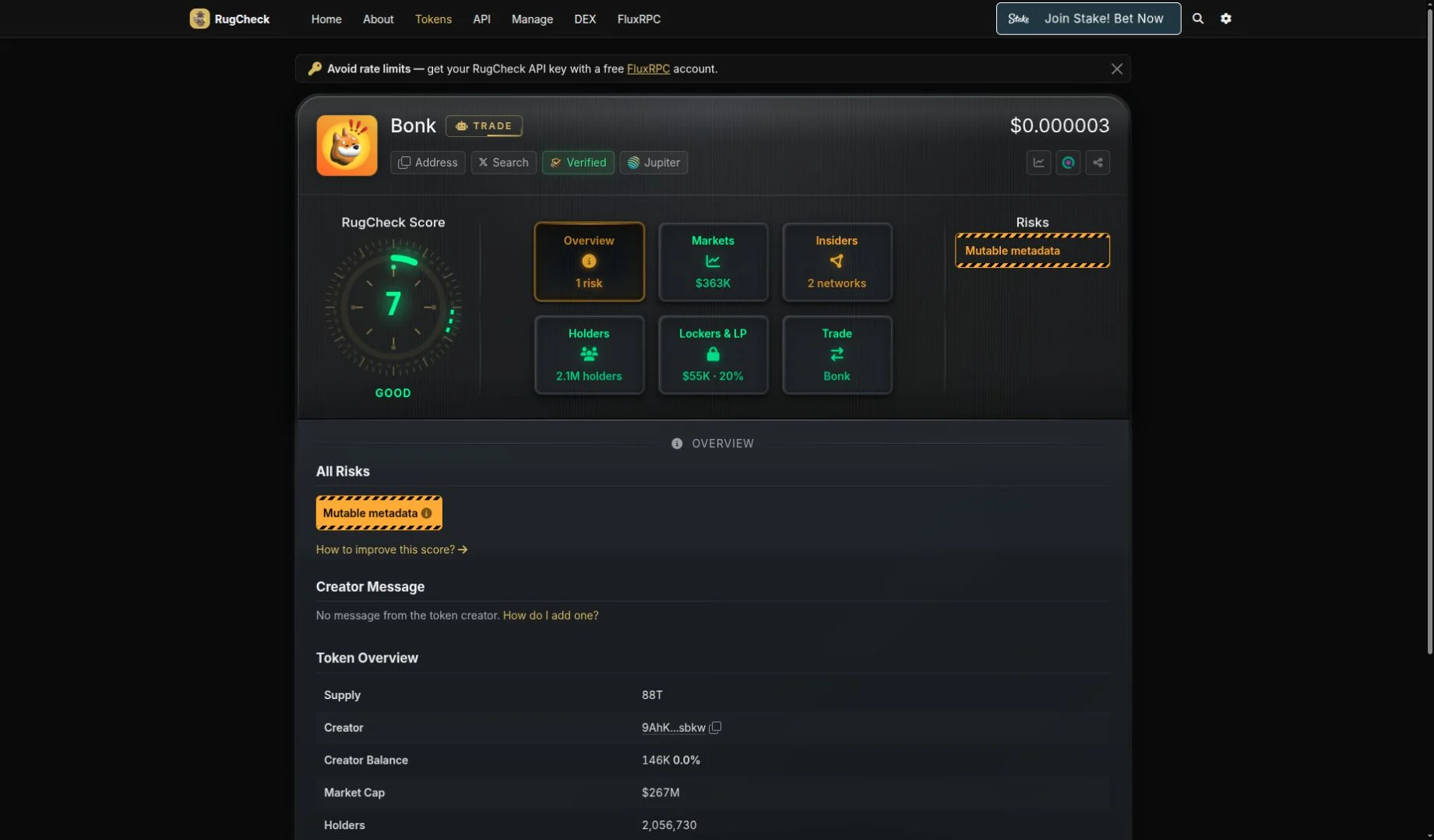
Open the full-size risk report.
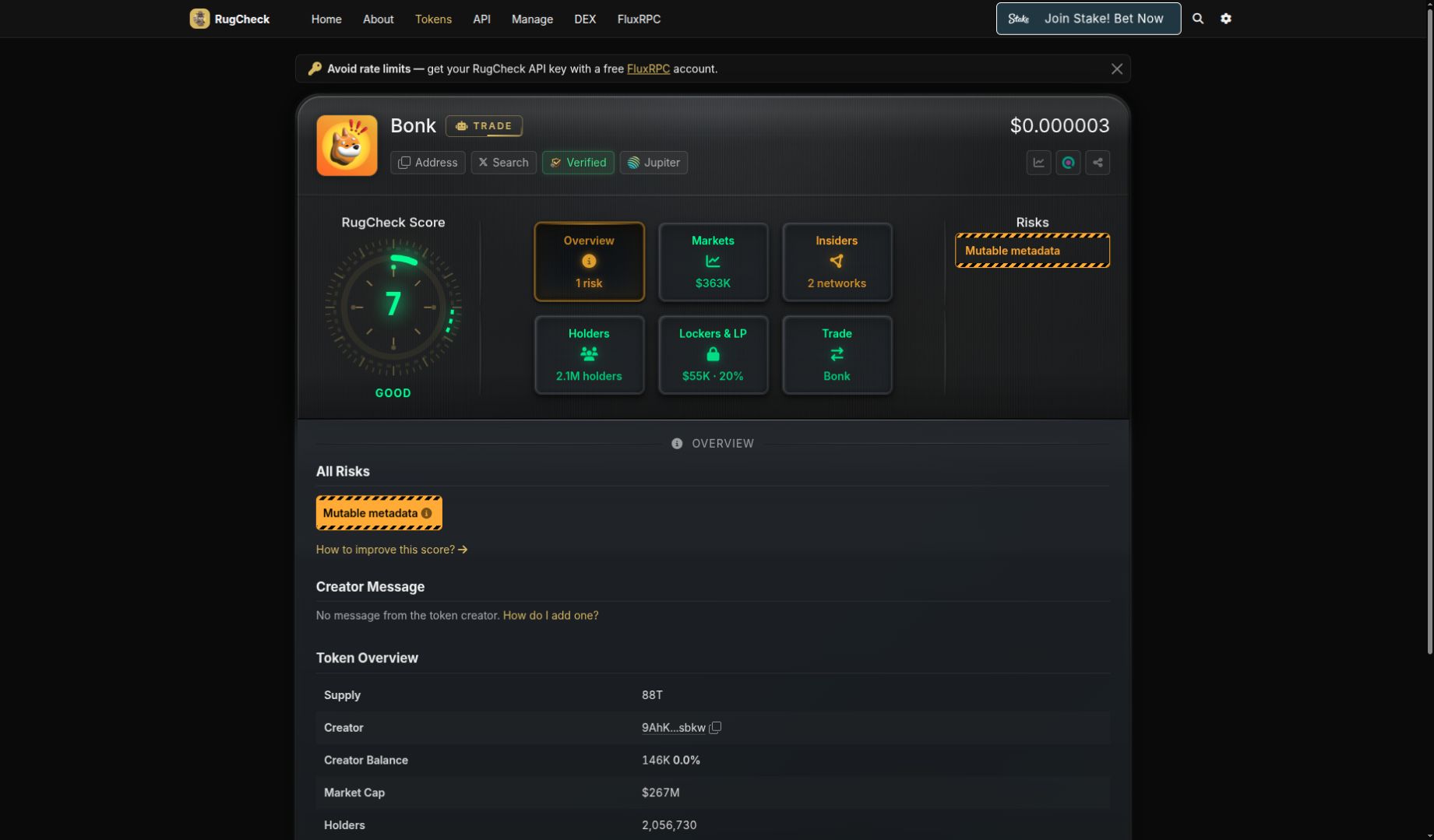
I would keep RugCheck as a second check, not a final approval. The specific warnings are easy to find. The gambling ads are a poor choice for a risk tool. Use the report, ignore the ads, and check the underlying addresses.
Questions to investigate include token-control permissions, concentrated ownership, and the conditions under which liquidity can leave. These are research questions, not a promise that RugCheck tests all of them for every token. Our rug-pull checklist explains the broader process.
Failure case: a report is missing, stale, or incomplete. Mark the risk check unresolved. Do not convert missing warnings into a clean bill of health.
Use a Repeatable Research Order
- 01
Identify
Match the network, token contract, and pool.
- 02
Inspect
Read liquidity, transactions, and data timestamps.
- 03
Cross-check
Compare the same pool in a second source.
- 04
Record risks
Save warnings and unresolved questions before any decision.
If you split research with someone else, agree on the contract, pool, and check time. One person can review market data while the other checks permissions and ownership. A screenshot of a token name is not enough to match your notes.
Use our crypto tracking spreadsheet guide to structure the record. Store the chain, token contract, pool address, source URL, UTC time, liquidity reading, warnings, and unanswered questions. Do not store wallet secrets.
| Signal | What it can tell you | What it does not establish |
|---|---|---|
| Trading volume | Reported trading over a period | Independent demand or the ability to sell your whole position |
| Pool liquidity | Assets recorded in a pool | A guaranteed exit price or permanent liquidity |
| Holder count | Number of counted addresses | Number of independent people |
| Market capitalization | A valuation derived from price and supply | Cash waiting to buy every holder's tokens |
| Trending rank | Visibility under a platform's method | Contract safety or future price |
| Risk label | A tool's current assessment | Insurance against loss |
Common Mistakes to Avoid
Comparing different windows. A five-minute move and a 24-hour move do not describe the same period. Record the selected window before comparing percentages.
Treating all liquidity as available at the shown price. Your own order can move the execution price. The amount received depends on the route, size, fees, and pool state. A chart is not a quote.
Buying a subscription to solve an unclear process. First decide what is missing: export history, alerts, wider coverage, or lower data delay. Ask for documented access and limits before paying. We did not measure data latency in milliseconds.
Using a stop-loss calculation as a guarantee. Thin liquidity, contract restrictions, or a sudden loss can prevent the expected exit. Our position-size calculator is arithmetic support, not protection from those failures.
Printable Tracking Checklist
- Record the exact network and contract address.
- Record the pool and quote asset.
- Check the data time and selected period.
- Compare the same pool in a second source.
- Check whether visibility includes paid promotion.
- Review liquidity and actual trade sizes, not only volume.
- Record contract warnings and missing information.
- Treat wallet identity and profit figures with care.
- Confirm subscription scope before paying.
- Keep research separate from a decision to buy.
If You Only Do 3 Things
- Match the contract and pool before comparing numbers.
- Use a second source and record the time.
- Treat every unresolved risk as unresolved, not safe.
Sources and Limits
The BONK searches used the same Solana mint: DezXAZ8z7PnrnRJjz3wXBoRgixCa6xjnB7YaB1pPB263. Pool figures and token-wide totals measure different things. Trading execution, paid subscriptions, alert delivery, and security-detection accuracy were not tested.
For the wider checks, read crypto due diligence, wallet scam checks, and the network directory. This is not investment advice. Consult a qualified adviser for decisions involving money you cannot afford to lose.
FAQ
›Which meme coin tracker is best for a beginner?
Start with DEX Screener or GeckoTerminal to inspect a specific pair. Learn to match the network, contract, pool, and timestamp before adding wallet or launch feeds.
›Is Memescope the same as a meme coin?
This article covers the Memescope feed at Solana Tracker. A similar product or token name does not prove a connection. Check the exact official domain.
›Do I need to connect a wallet to read market data?
We inspected the public pages described here without connecting a wallet. Trading and some account features are separate. Never enter a seed phrase to unlock a chart.
›Does a good risk score mean a token is safe?
No. A score reflects a particular tool, data set, and time. It cannot guarantee future liquidity, honest administration, or an executable sale.
Keep reading
Related research
3 Best BSC Airdrop Tools: Fees and Safety Checks
Compare three BSC airdrop tools for bulk token transfers. Check fees, CSV inputs, approvals, failed batches, and recipient records before you send.
Is Onyxcoin Dead? 7 Checks Beyond the XCN Price
Is Onyxcoin dead? Check a recorded XCN transfer, current proposals, audit limits, and the questions that still matter before buying or holding.

Yield Farming Risks
Yield farming risks include contract failure, admin control, oracle errors, liquidation, depegs, impermanent loss, bridges, and blocked withdrawals.
Get the next field guide
New protocol research, risk checks, and practical DeFi tools.