Coldcard vs Trezor
Coldcard vs Trezor compared: current US prices, secure elements, air-gap options, backup formats, and coin support to help you pick the right hardware wallet.

DeFi Farmer Research Desk
Sep 10, 2026 · 14 min read
In brief. Choose a Coldcard (Mk4 successor Mk5 or the Q) if you want a bitcoin-only, air-gapped signer with duress features. Choose a Trezor Safe 3 or Safe 5 if you hold many coins or want the easier first setup. Both lines run open-source firmware.
On this page14 sections
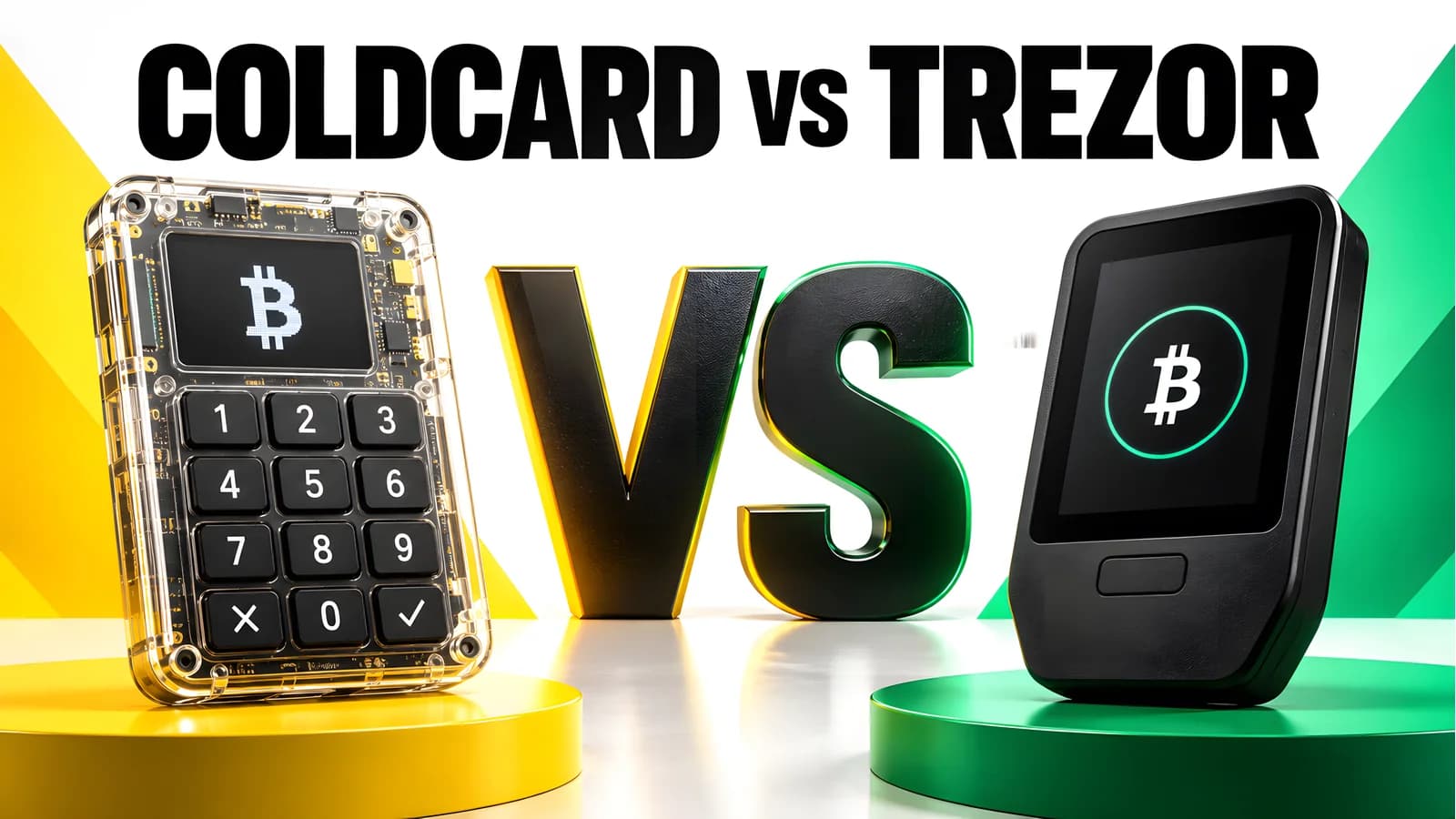
Coldcard vs Trezor comes down to one question: do you want a bitcoin-only signer that never has to touch a computer, or a multi-coin wallet built for easy everyday use? Coldcard (Coinkite) is the air-gap-first choice. Trezor's Safe 3 and Safe 5 are the multi-asset, beginner-friendly choice. Neither is universally better, and this comparison gives you the specs to decide.
US price and source check: September 9, 2026. Every price and spec below comes from the makers' official pages. This is desk research; we did not buy, hold, or test any device.
Pick a Wallet in One Minute
| Your situation | Our editorial choice | Why |
|---|---|---|
| Long-term bitcoin savings, rarely moved | Coldcard Mk5, $189 | Bitcoin-only, dual secure elements, MicroSD or NFC signing |
| Bitcoin-only, wants QR and easy passphrases | Coldcard Q, $289 | QWERTY keyboard, QR scanner, battery power |
| Bitcoin plus ETH, stablecoins, DeFi tokens | Trezor Safe 3, $59 | Thousands of coins, low price, EAL6+ chip |
| Multi-coin with a bigger budget | Trezor Safe 5, $129 | Color touchscreen with haptic feedback |
| First hardware wallet ever | Trezor Safe 3 | Guided setup; Coldcard assumes PSBT knowledge |
| Buying a used Coldcard Mk4 | Only after a firmware update | Seeds made on firmware 4.0.1 and later may be at risk |
Lineup notes: the Trezor Model One is discontinued, and Trezor now lists a Safe 7 flagship at $249. The Coldcard Mk4 is out of Coinkite's store; the Mk5 replaced it. We still cover the Mk4 because it dominates search results and the used market.
Coldcard vs Trezor: Spec Comparison
| Coldcard Mk4 / Mk5 | Coldcard Q | Trezor Safe 3 | Trezor Safe 5 | |
|---|---|---|---|---|
| Listed US price | Mk5: $189; Mk4 not in store | $289 | $59 | $129 |
| Coin support | Bitcoin only | Bitcoin only | Thousands; bitcoin-only edition exists | Thousands; bitcoin-only edition exists |
| Secure element | Dual: Microchip ATECC608 + Maxim DS28C36B | Dual, same chips | Single EAL6+ certified chip | Single EAL6+ certified chip |
| Screen | 1.54-inch (Mk5, Gorilla Glass) | 3.2-inch 320x240 LCD | 0.96-inch monochrome OLED | 1.54-inch color touchscreen, Gorilla Glass 3 |
| Connectivity | USB-C, MicroSD, NFC; radios off by default | USB-C, dual MicroSD, NFC, QR, 3xAAA | USB-C data cable | USB-C data cable |
| Backup format | BIP39 words, encrypted MicroSD backup, SeedXOR | Same, plus Key Teleport | 12/20/24-word; SLIP39 shares | 20-word single-share; SLIP39 multi-share |
| Size and weight | Not stated on the pages we checked | Not stated on the page we checked | 59x32x7.4 mm, 14 g | 65.9x40x8 mm, 23 g |
Sources: Coinkite store, Coldcard Q, Safe 3, Safe 5.
View as table
| Listed US price, maker's store | Price |
|---|---|
| Trezor Safe 3 | 59 USD |
| Trezor Safe 5 | 129 USD |
| Coldcard Mk5 | 189 USD |
| Coldcard Q | 289 USD |
Coldcard: The Bitcoin-Only Air-Gap Choice
Coldcard Mk4 and its Mk5 successor
The Mk4 is the model older comparisons describe: numeric keypad, OLED screen, MicroSD slot, NFC, USB-C, bitcoin-only firmware. Its design splits the seed between the main processor and two secure elements from different vendors, with open-source, reproducible firmware. The Mk5 at $189 is the current version: 1.54-inch Gorilla Glass screen, improved keyboard, better NFC, and migration support from older models. USB cable not included.
Holds up
- Air-gap signing over MicroSD or NFC; data transfer modes are off by default
- Dual secure elements from two vendors; open, reproducible firmware
- Duress PIN decoy wallet, brick-me PIN, login countdown, anti-phishing words
- Bitcoin-only code base narrows the attack surface
Costs you
- Bitcoin only; no ETH, stablecoins, or altcoin support at all
- Steeper learning curve; assumes PSBT and coordinator-wallet knowledge
- Mk4 is no longer sold new; used units carry the seed-generation advisory risk
- No stated weight, dimensions, or warranty term on the pages we checked
Coldcard Q: the flagship
The Q at $289 adds a 3.2-inch 320x240 LCD, a full QWERTY keyboard for passphrases, a QR scanner, dual MicroSD slots, and power from three AAA batteries or USB-C. It includes all Mk5 features plus Q-only tools like Key Teleport device-to-device seed transfer. You can even cut a PCB trace to permanently block USB and NFC data. Batteries and cable not included. Coldcard Q details
Holds up
- True no-computer operation: setup, backup, and QR signing all on-device
- QR scanner plus dual MicroSD slots give three air-gap paths
- QWERTY keyboard makes long BIP39 passphrases practical
- Battery power means no cable required at all
Costs you
- $289 is the highest price in this comparison
- Larger footprint than any Trezor or Mk5
- Same bitcoin-only limit and the same firmware-update caution
- Feature depth most single-signature savers will never use
Check the firmware advisory before you trust any Coldcard seed
On July 30, 2026, Coinkite disclosed that seeds generated on firmware 4.0.1 (2021 and later) of the Mk2, Mk3, Mk4, Mk5, and Q are at risk. New units ship with corrected firmware, but update on receipt anyway. If a seed was already generated on affected firmware, follow the migration guide; updating alone does not fix it. Coinkite's security status page has the current state. Trezor's August 5, 2026 advisory confirms its own devices are unaffected but warns anyone who restored a Coldcard-made seed onto a Trezor to migrate funds.
On September 9, 2026, the official Coinkite store listed only the Q ($289) and Mk5 ($189), both in stock, with a seed-generation advisory banner. The Mk4 had no listing at any price. Orders of $499 or more ship free.
Trezor Safe 3 and Safe 5: The Multi-Coin Choice
Trezor Safe 3
At $59, the Safe 3 is the budget pick. It pairs a 0.96-inch monochrome OLED with a two-button pad, measures 59x32x7.4 mm at 14 g, and adds a certified EAL6+ secure element to open-source firmware. Backups span 12-, 20-, and 24-word formats, with a 20-word single-share standard and optional SLIP39 multi-share upgrade. The box includes a USB-C cable, two backup cards, a guide, and stickers. Devices ship without pre-installed firmware, with tamper-evident seals. Safe 3 specs and box contents
Holds up
- $59 is the lowest price here, from the original hardware wallet maker
- Thousands of coins and tokens through Trezor Suite
- EAL6+ secure element plus fully open-source firmware
- Guided setup is the friendliest first-wallet experience in this comparison
Costs you
- No air-gap option; signing requires a USB data connection
- Small monochrome screen and two-button entry slow down passphrase use
- Single secure element; the product page does not name the chip vendor
- Backup cards are paper; a metal backup costs extra
Trezor Safe 5
The Safe 5 at $129 upgrades to a 1.54-inch color touchscreen with Gorilla Glass 3 and haptic feedback, at 65.9x40x8 mm and 23 g. It keeps the same EAL6+ chip, open-source firmware, and 20-word backup with a multi-share path. Safe 5 details
Holds up
- Color touchscreen and haptics make address review and PIN entry faster
- Same coin coverage and backup flexibility as the Safe 3
- EAL6+ secure element with open-source firmware
- Bitcoin-only edition available for single-coin users who want Trezor UX
Costs you
- $129 is more than double the Safe 3 for the same security architecture
- Still USB-cabled; no MicroSD, NFC, or QR signing
- Touchscreen adds complexity a pure saver may not need
- Chip vendor not named on the product page we checked
Air Gap vs USB: How Signing Differs
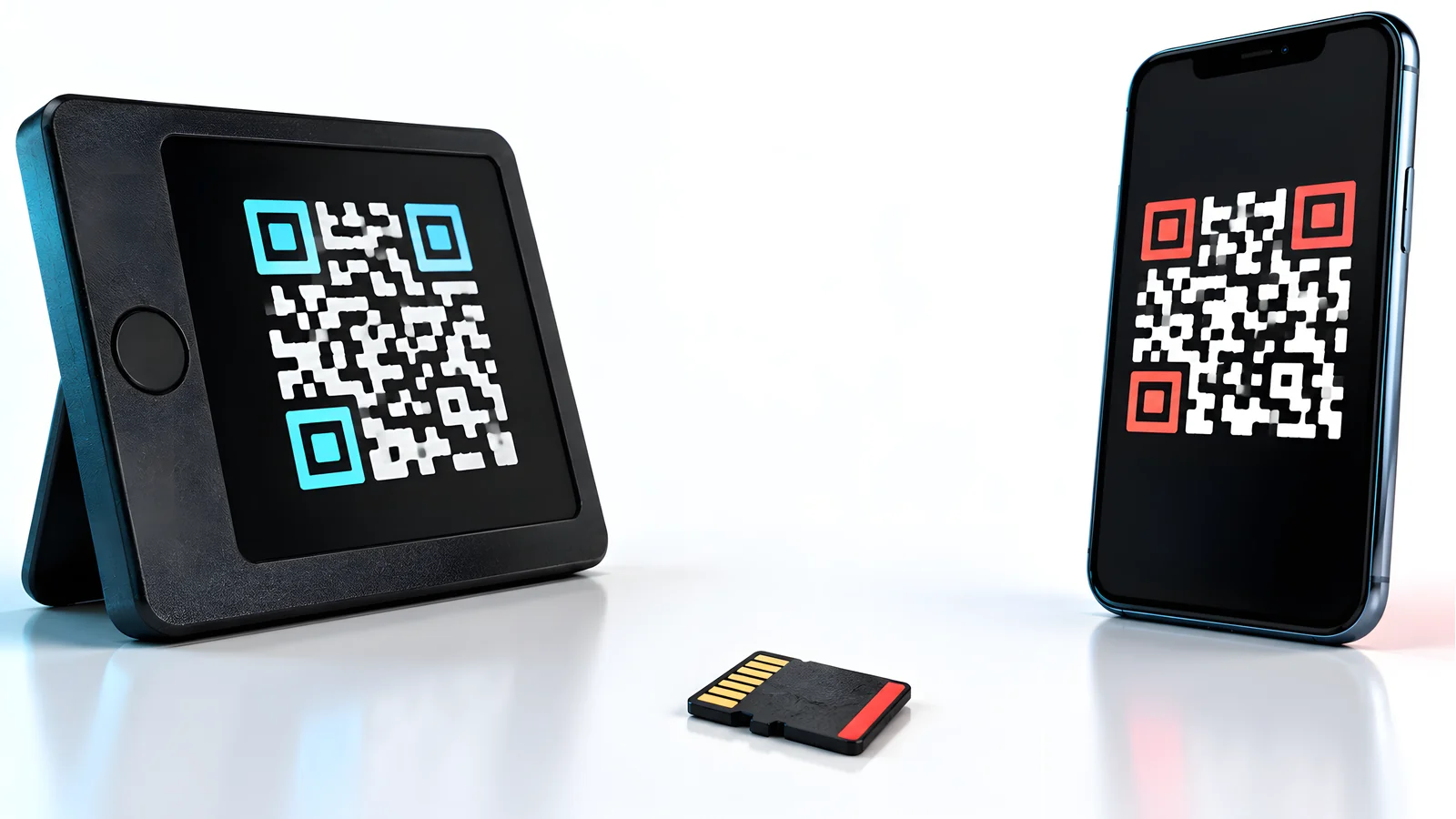
This is the real dividing line. A Trezor always signs while connected over USB-C. A Coldcard can pass a partially signed bitcoin transaction (PSBT, BIP-174) by MicroSD card, NFC, or QR codes on the Q, so the device never exposes a data connection.
- 01
Create
Build the transaction in watch-only software such as Sparrow, Electrum, or BlueWallet.
- 02
Transfer
Move the unsigned PSBT to the Coldcard by MicroSD, NFC, or QR.
- 03
Verify and sign
Check the address and amount on the Coldcard screen, then sign on-device.
- 04
Broadcast
Move the signed file back and broadcast from the software wallet.
Software Integration: Sparrow, Electrum, and BlueWallet
Coldcard has no companion app; you pick a coordinator. Coinkite's compatible wallets list confirms Sparrow, Electrum, Nunchuk, Specter, Wasabi, and BlueWallet. The BlueWallet hardware wallet integration for Coldcard is fully air-gapped: per BlueWallet's official doc, you export a wallet skeleton to MicroSD, import it watch-only, then shuttle unsigned and signed PSBT files on the card.
Trezor centers on its Trezor Suite app and also works with third-party wallets; our Trezor wallet review goes deeper. Still weighing a device against a phone app? See hardware wallet vs software wallet. Our air-gapped hardware wallet guide explains the threat model behind Coldcard's design.
Note
Neither brand is universally better; a bitcoin-only saver and a multi-coin farmer face different risks and should choose differently. If you farm points across chains, the Trezor line covers those assets. Pair it with verified seed phrase storage, and see our best hardware wallet 2026 roundup for the full field, including Ledger and Trezor side by side.
Common Mistakes and Edge Cases
- Buying a used or old-stock Coldcard Mk4. It is off the official store, and seeds from firmware 4.0.1 or later carry the disclosed risk. Update firmware before generating or restoring any seed; prefer a new Mk5 unless the discount is large.
- Assuming "cold storage" means safe signing. A compromised computer can show you a fake address. Confirm the address and amount on the device screen every time.
- Mixing up backup formats. A 20-word SLIP39 share is not a 20-word BIP39 phrase, and SeedXOR is a third system. Record your format; our seed phrase guide explains the difference.
- Buying from marketplace resellers. Buy from the official store or a listed reseller; our where to buy a hardware wallet guide covers sourcing, and fake "support" calls are a top theft vector per our digital wallet scam guide.
- Treating duress PINs as a backup. A decoy PIN does nothing if your only seed copy burns. Back up first.
Printable Buying Checklist

- I know whether I need bitcoin-only or multi-coin support.
- I checked today's price and stock on the maker's official store.
- I am buying from the official store or a listed authorized reseller.
- For a Coldcard, I will update and verify firmware before generating any seed.
- I know which backup format my device produces (BIP39, SLIP39, SeedXOR).
- I have a durable, verified backup plan for the recovery words.
- My coordinator software (Trezor Suite, Sparrow, Electrum, or BlueWallet) runs on my devices.
- I will verify addresses on the device screen for every receive and send.
Our Choice
For a bitcoin-only saver who signs a few times a year, we prefer the Coldcard Mk5: dual-vendor secure elements, reproducible open firmware, true air-gap operation, and no companion-app lock-in, at $189. Choose the Q if you will use QR signing or heavy passphrases; skip it otherwise. For anyone holding more than bitcoin, or setting up a first wallet, the Trezor Safe 3 at $59 is the value pick, with the Safe 5 as the comfort upgrade. Your asset list and threat model decide, not a spec-sheet crown. Whatever you buy, the budget does not end at the device: a cable or batteries, a durable backup plate, and the time to verify that backup are all part of the real cost of self custody.
Coldcard vs Trezor questions
›Is Coldcard only for bitcoin?
Yes. Every Coldcard model, including the Q and the Mk4/Mk5 line, is bitcoin-only by design. If you hold ETH, stablecoins, or other chains, a Coldcard cannot sign those transactions; Trezor's Safe 3 and Safe 5 support thousands of coins and tokens.
›Is Trezor open source?
Yes. Trezor's firmware and software are open source. Coldcard's firmware is also open source with reproducible builds. Open source lets anyone audit the code; it does not by itself guarantee a device is bug-free, as the July 2026 Coldcard seed-generation disclosure shows.
›Can a Coldcard work without a computer?
Yes. Coinkite documents fully air-gapped operation: setup, seed creation, backups to encrypted MicroSD files, address export, and PSBT signing all work with the device powered by a USB power pack or, on the Q, AAA batteries. You still need separate software to build and broadcast transactions, but the Coldcard itself never connects.
›Which is easier for beginners?
Trezor. The Safe 3 and Safe 5 use the guided Trezor Suite app, and setup takes minutes. Coldcard assumes you understand PSBT files, coordinator wallets, and backup verification; it rewards study but punishes shortcuts.
›Coldcard Q vs Trezor Safe 5: which flagship wins?
They serve different users. The Q at $289 is a bitcoin-only signing tool with a QR scanner, keyboard, and battery power for air-gapped use. The Safe 5 at $129 is a multi-coin touchscreen wallet built for frequent, easy use with Trezor Suite. Pick the Q for bitcoin custody depth; pick the Safe 5 for multi-asset convenience.
›Is it safe to buy a used Coldcard Mk4?
Only with precautions. Coinkite no longer sells the Mk4, and the July 30, 2026 disclosure affects seeds generated on firmware 4.0.1 and later. Buy from a trusted source, update and verify the firmware first, then generate a fresh seed. Never trust a seed that came with a used device.
Sources and Review Method
The DeFi Farmer Research Desk compared the makers' official pages on September 9, 2026: the Coinkite store, Coldcard Q, Coldcard compatible wallets, Coldcard security status, Trezor Safe 3, Trezor Safe 5, Trezor Model One, Trezor's Coldcard vulnerability notice, and BlueWallet's Coldcard guide. Coldcard firmware is public on GitHub.
This is desk research. We did not buy, unbox, weigh, or stress-test any device, and prices, stock, and firmware status can change after our check. Specs missing from official pages, such as Coldcard weight and warranty terms, are marked as unstated, never filled from resellers. Product links carry no affiliate parameters. The hero image is a custom editorial graphic, not product photography. This article is general security education, not investment, legal, or insurance advice.
Keep reading
Related research
Trezor Wallet Review
Trezor wallet review: current lineup with US prices, secure element and backup differences by model, coin support gaps, and scam warnings.
Ledger Nano X Review
Ledger Nano X crypto hardware wallet reviews: dated $99 price check, full specs, Bluetooth security, battery limits, and how it compares with the Nano S Plus and Flex.
Best Hardware Wallet 2026
Best hardware wallet 2026 compared: Ledger, Trezor, Coldcard, Keystone, Tangem, BitBox02, Jade, and OneKey with current US prices, chips, and backup formats.
Is VeChain Supported on Trezor?
Is VeChain supported on Trezor wallet devices? No, as of September 9, 2026. See safe VET storage options and how to transfer crypto to a Trezor.
Get the next field guide
New protocol research, risk checks, and practical DeFi tools.