S1 Safe
Is the SafePal S1 safe? A current threat-model review of its QR signing, secure element, firmware, recovery, supply-chain exposure, and daily use.

DeFi Farmer Research Desk
Aug 31, 2026 · 15 min read
In brief. The SafePal S1 can reduce remote key-extraction risk when it is bought through a trusted channel, initialized correctly, kept current, and used with careful screen verification. Its QR workflow does not protect against a leaked recovery phrase, a malicious transaction you approve, physical coercion, or targeted phishing.
On this page11 sections
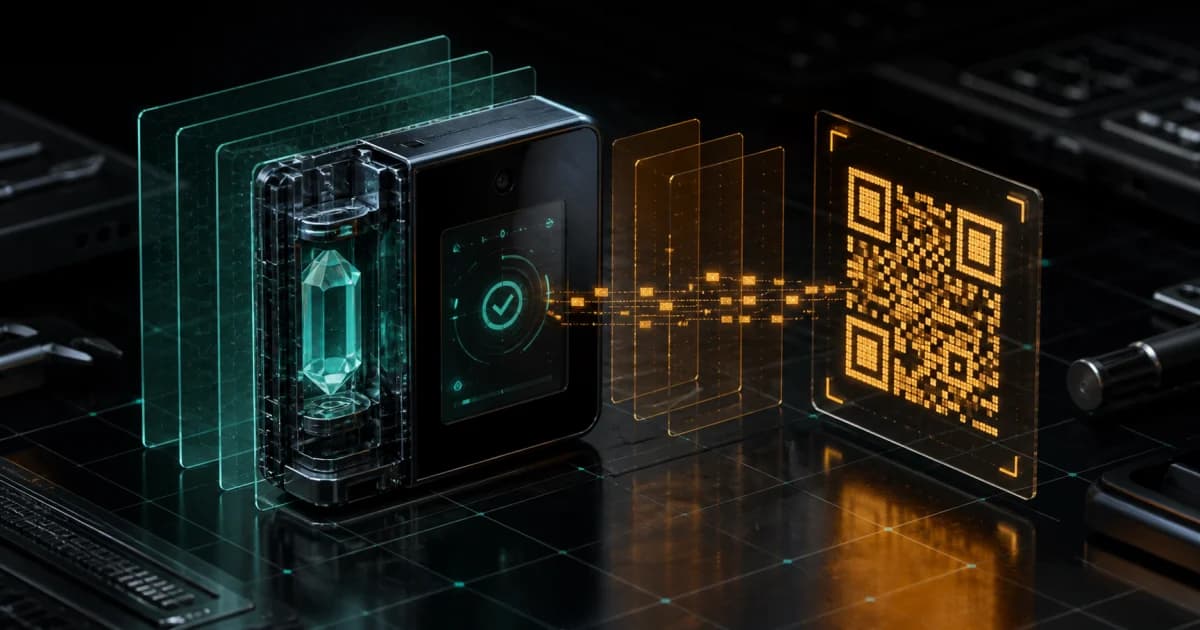
s1 safe depends less on the air-gap slogan than on the transaction you read on its 1.3-inch screen. The SafePal S1 keeps private-key operations on an offline device and moves unsigned and signed transaction data through QR codes. That design blocks several remote attack paths. It cannot rescue a recovery phrase typed into a phone, a hostile approval confirmed by the owner, or a device obtained through an untrusted seller.
Set up recovery and transaction verification before moving a meaningful balance. The checklist covers purchase, firmware, seed backup, QR signing, and incident response.
A direct safety verdict
The SafePal S1 is a reasonable low-cost hardware-wallet design for an owner who wants offline key generation and QR signing. It is safer than keeping the same seed in an everyday phone exposed to browser links, message attachments, copied text, and ordinary app permissions.
No hardware wallet is a sealed promise. The S1 sits inside a system that includes the companion app, firmware distribution, the phone camera, your recovery backup, the merchant that shipped the box, and whatever smart contract you approve. A failure anywhere along that path can reach the funds.
My assessment is conditional.
| Situation | S1 risk reduction | Remaining exposure |
|---|---|---|
| Malware tries to read a private key from the phone | Strong, when the seed was generated and retained on the S1 | Malware can still construct a deceptive transaction for you to approve |
| Remote radio attack | Strong against Wi-Fi, Bluetooth, and NFC paths because those radios are absent | Camera-parsed QR data and companion-app behavior still require trust and verification |
| Stolen powered-off device | PIN, secure element, and tamper responses add resistance | A capable physical attacker gets time with the hardware; move funds after known theft |
| Recovery phrase photographed or entered online | None | Whoever has the words can recreate the wallet without the S1 |
| Malicious token approval | Limited | The S1 signs what the owner confirms, including harmful permissions |
| Fake support contact after a data leak | None by itself | The owner must reject requests for seed words, private keys, QR scans, and surprise firmware links |
Use what is a decentralized wallet to understand the custody boundary. The hardware protects signing keys. It does not provide a customer-service reversal.
What the hardware includes
SafePal's current S1 product page lists the following specifications. Price can move with sales, taxes, duties, and region, so check it at purchase time rather than relying on a number preserved in an old review.
| Specification | Current official listing |
|---|---|
| Display | 1.3-inch full-color IPS |
| Transaction connection | Camera-based QR scanning; no Bluetooth, Wi-Fi, or NFC |
| Battery | Built-in 400mAh |
| Stated battery estimate | Up to 20 days at 10 minutes of daily use |
| Charging | USB cable |
| Listed operating range | -20 to 70 C on the store page |
| Firmware | Upgradeable |
| Security chip | CC EAL6+ on current product materials |
| Box contents | S1, cleaning cloth, three mnemonic cards, manual, app card, two stickers, USB cable |
The user manual gives a narrower 0 to 55 C operating range and says to charge with a 5V/1A adapter. That disagreement matters if the device lives in a hot vehicle or cold storage room. Use the conservative manual range.
Screen
1.3"
The trusted display for transaction review
Battery
400mAh
Officially rated up to 20 days under light daily use
Radios
0
No Wi-Fi, Bluetooth, or NFC
Latest checked
1.0.79
Firmware history checked August 24, 2026
CC EAL6+ describes an evaluation assurance level for the secure element. It does not certify the entire wallet workflow, companion app, shipping database, every firmware build, or every blockchain parser. SafePal announced the move from EAL5+ to EAL6+ chips in April 2025 and warned that older stock might still contain EAL5+ hardware. Confirm the exact unit rather than assuming every sealed box has identical silicon.
How QR signing works
The phone watches the network and prepares a transaction. It displays an encoded QR request. The S1 camera scans that request, parses the details, and shows a confirmation screen. After the owner enters the PIN and approves, the S1 signs internally and displays signed QR data. The phone scans the response and broadcasts it.
- 01
Construct
The internet-connected app selects inputs, destination, amount, fee, and any smart-contract call.
- 02
Inspect
The S1 scans the unsigned request and renders the details it understands on its own screen.
- 03
Sign
After PIN entry and confirmation, the secure device produces the cryptographic signature.
- 04
Broadcast
The app scans the signed response and submits it to the network. Blockchain settlement is irreversible.
Air-gapped does not mean data-gapped. The camera accepts structured input from an online phone. A parser defect could be relevant, and a compromised app can ask for a transfer to an attacker's address. The wallet screen has to expose enough information for the owner to catch the substitution.
Long hexadecimal addresses are difficult to compare under pressure. Read the first six characters and the final six, then compare the network and amount. For a new destination, send a small test and verify arrival before the larger transfer. Address-poisoning attacks exploit the lazy habit of copying from recent history.
For DeFi, the burden rises. A contract call may be less readable than a plain transfer. An approve request can authorize a spender to move tokens later. Review existing permissions with the token approval checker, and use a separate wallet for experimental applications.
Recovery is the dominant failure path
The recovery phrase recreates the wallet. It defeats the PIN, air gap, secure element, and device authentication because the blockchain accepts valid signatures from any implementation holding the same keys.
Generate the phrase on the hardware wallet. Write it offline. Never photograph it, paste it into a password manager, email it, or enter it into a website claiming to verify, synchronize, migrate, repair, or upgrade the S1.
SafePal's manual calls the mnemonic the proof of ownership and says the company cannot recover it. The wording is blunt because the failure is final.
Two backups can reduce fire or flood risk if they are in separate controlled places. But two copies also create two theft surfaces. Record what each backup belongs to without writing a nearby map that tells a finder exactly where funds live. For higher-value storage, a durable metal backup may withstand heat and water better than the included paper cards; our metal seed phrase plate guide covers the material trade-offs.
A passphrase can create a separate derived wallet. It also creates another unrecoverable dependency. Back up the passphrase separately and test recovery with a small balance before relying on it. A missing character produces a valid, empty wallet, which feels unnervingly like a broken device until the derivation inputs are checked.
Never type the S1 seed into the SafePal app
A hardware-wallet seed belongs on the hardware device during recovery. If the same words are entered into an online phone or browser, treat the wallet as exposed. Create a fresh seed on trusted hardware and move the assets after a small test transfer.
Firmware and supply-chain controls
Buy through SafePal or a seller listed on the official channel page. Inspect packaging and run the device-authentication process, while understanding that packaging alone cannot prove internal integrity. Never accept a pre-written phrase. A genuine wallet should guide you through generating a new one or deliberately recovering an existing one.
For firmware, start at a manually typed SafePal domain. The official upgrade guide says to obtain the firmware through SafePal's upgrade page using the device serial number. The support article also describes a SHA-256 checksum comparison for the downloaded file.
Back up the mnemonic before an upgrade. Charge the device. Do not disconnect it midway. Confirm the firmware version after reboot and recheck the wallet name plus security suffix.
Kraken Security Labs tested an older S1 hardware revision in 2020 and published its findings in February 2021. The researchers reported ineffective tamper behavior under their test, a firmware downgrade path, code-transparency concerns, and uncertainty around the secure-boot chain. They said they did not steal cryptocurrency during the review.
SafePal answered the report, disputed the impact of several findings, and released firmware 1.0.24 to add downgrade protection. A responsible review preserves both accounts. The test is old enough that it cannot describe every current unit, yet it remains relevant evidence about architecture and vendor disclosure.
I compared the current product page, S1 manual, firmware history, upgrade instructions, SafePal's 2021 response, and Kraken's original lab report. The official firmware history showed version 1.0.79 dated April 22, 2026. I did not disassemble a retail unit or run a funded signing test, so this review does not claim hands-on penetration testing.
The August 2026 customer-data incident
SafePal disclosed unauthorized access to order information for about 39,798 customers who placed orders between March 2, 2025 and April 11, 2026. The affected fields included names, email addresses, shipping addresses, phone numbers, and purchase details.
According to SafePal's August 16 security update, seed phrases, private keys, wallet passwords, payment-card numbers, bank information, and government ID numbers were outside the exposed order data. SafePal said it found no evidence that the incident itself compromised wallets or funds.
The practical risk is targeting. A scammer who knows that a named person bought an S1 has a better story, a delivery address, and a plausible reason to send a fake firmware notice. Treat unexpected hardware deliveries, letters, support calls, refund offers, QR codes, and urgent upgrade emails as hostile until independently verified.
Do not move funds solely because order data was exposed, unless your physical safety assessment says otherwise. If you entered a seed or private key after suspicious contact, move any remaining assets to a new hardware-generated seed. A PIN change cannot repair a copied mnemonic.
Daily operating routine
Keep long-term storage separate from everyday DeFi. One S1 account can hold assets that rarely move. Another seed or account can carry the smaller balance used for contracts, bridges, NFTs, and unfamiliar tokens. Segmentation limits the damage from one careless approval.
Before each transfer, pause on the hardware screen.
- Network first. Sending a supported token over the wrong network can make recovery difficult or depend on another wallet.
- Compare the destination at both ends, then compare it again after any copy-and-paste.
- Amount and fee. Watch decimal placement.
0.01and0.1differ more than they look on a small screen. - For contract signing, identify the spender and permission scope. Avoid unlimited approval when a smaller allowance serves the task.
- Keep the phone's operating system and SafePal app current through official stores or SafePal's directly verified distribution path.
The device should stay charged enough to review without rushing. Store it away from moisture and extreme temperatures. The key can be recovered if the device dies; that fact does not excuse an untested backup.
What the S1 cannot protect
Coercion and physical observation. A PIN helps against casual access. It does not make a person invulnerable to threats. Avoid public discussion of balances and storage locations.
Protocol failure. A signed deposit into a vulnerable vault remains vulnerable after the transaction leaves the wallet. Run crypto due diligence on contracts, administrators, oracles, and withdrawal mechanics.
Blind signing. If the screen cannot render meaningful fields, you are approving bytes you cannot independently interpret. Use a lower-value wallet or decline the request.
Loss of every recovery copy. A working S1 can sign while it functions, but dead hardware plus a missing seed creates permanent loss.
Wrong-address transfers. Blockchain validators do not know that a destination was a typo.
Malicious assets. An unsolicited token or NFT can carry a phishing URL in its name or metadata. Do not visit it.
S1 safety checklist
Verify the purchase route
Use SafePal or an authorized seller reached from the official website. Record the order source and inspect the box before initialization.
Generate a fresh wallet on-device
Reject any unit containing a prewritten phrase. Keep cameras and connected devices away while recording the words.
Create and test the backup
Check every word and its position. Restore on trusted hardware with a small balance before depending on the backup.
Authenticate and update carefully
Run device authentication, compare the current firmware history, download only from the official upgrade route, and verify the checksum when provided.
Pair through the official app
Download the app from an independently verified source. Pair by QR and confirm the expected wallet name plus security suffix.
Send a small transaction
Verify network, address, amount, and fee on the S1 display. Confirm arrival before moving a larger balance.
Separate storage from experiments
Keep the savings wallet away from new contracts. Review token approvals and retire permissions that are no longer needed.
Prepare for loss or theft
Know where the recovery copy is, who can access it, and how you will move funds from a second trusted device if the S1 disappears.
Keep these three controls
- Recovery words remain offline and readable.
- Every transaction is checked on the S1 screen rather than trusted from the phone preview.
- Firmware and support paths begin at a manually verified official domain.
S1 safety FAQ
›Is SafePal S1 completely safe?
No hardware wallet removes every risk. The S1 reduces several remote key-extraction paths through offline key storage and QR signing, while recovery-phrase theft, malicious approvals, physical coercion, supply-chain attacks, and user error remain possible.
›Does charging the SafePal S1 expose the private key?
Routine charging does not require the S1 to sign through the cable. Use a trusted charger, follow the manual's power guidance, and remember that firmware updates do use the USB path. Transactions are transferred through QR codes.
›Should I update SafePal S1 firmware?
Security fixes and newer chain support can make updates important. Back up the recovery phrase first, use only SafePal's official upgrade path, verify the checksum when available, and avoid links delivered through unsolicited messages.
›What happens if the S1 breaks?
The assets remain on their blockchains. A correct mnemonic and any required passphrase can restore the same wallet on compatible trusted hardware. Test the backup before an emergency.
›Was the SafePal order-data incident a wallet hack?
SafePal said the August 2026 incident exposed order and contact details for affected customers but did not expose seed phrases, private keys, or wallet passwords. The data can make targeted phishing and physical approaches more credible.
›Can SafePal support recover my seed phrase?
No. Anyone claiming that support needs the phrase is attempting to take control of the wallet. Never share it or enter it into a website, chat, form, or phone app.
Sources and methodology
This assessment used SafePal's current S1 specifications, S1 manual, firmware history, and firmware upgrade procedure. Security history was checked against the Kraken Security Labs report and SafePal's response. Time-sensitive details were checked on August 24, 2026.
This is a technical risk review, not a guarantee, endorsement, or instruction to place a particular value on one device. People facing stalking, theft threats, inheritance complexity, or institutional custody requirements should obtain advice suited to that situation.
Keep reading
Related research
Trezor Wallet Review
Trezor wallet review: current lineup with US prices, secure element and backup differences by model, coin support gaps, and scam warnings.
Ledger Nano X Review
Ledger Nano X crypto hardware wallet reviews: dated $99 price check, full specs, Bluetooth security, battery limits, and how it compares with the Nano S Plus and Flex.
Trezor Support Number
There is no Trezor wallet support number. Learn the real Trezor customer service channels, the fake-number scam, and what to do if you shared your seed.
Coldcard vs Trezor
Coldcard vs Trezor compared: current US prices, secure elements, air-gap options, backup formats, and coin support to help you pick the right hardware wallet.
Get the next field guide
New protocol research, risk checks, and practical DeFi tools.